
Are your task titles looking like this?
[URGENT] [John] [Client A] Write November Newsletter Draft (DUE TUESDAY)
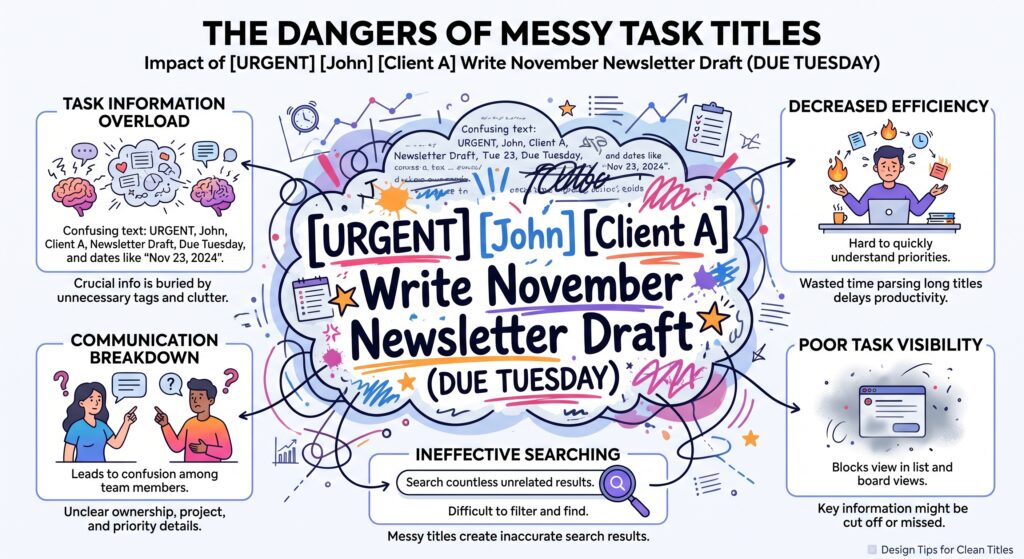
When you stuff task titles with metadata, your workspace becomes visually chaotic and impossible to filter. Custom Fields are ClickUp’s superpower for extracting metadata out of task titles and putting it into structured, reportable columns. Use these tips to start building out a structured, organized and reportable task model in ClickUp:
1. The “Client/Project” Dropdown Field (Inherited at Space Level) Instead of creating separate Lists for every small client, create a single Client Dropdown Custom Field at the Space level.
2. The “Effort vs. Impact” Matrix Fields Prioritizing tasks using default priority tags (Urgent/High/Normal/Low) often leads to everything being marked “Urgent.”
Instead Create two rating or dropdown fields (one for Effort, one for Impact) and filter your views to show high-impact, low-effort tasks first to capture quick wins instantly.
3. The “Last Reviewed Date” Field for SOPs and Docs When managing internal wiki tasks or SOP documentation in ClickUp, knowledge quickly becomes outdated. Add a Date Custom Field named “Last Reviewed.” Combine this with a ClickUp Automation: When Last Reviewed is greater than 180 days ago, set Task Status to “Needs Review.”
4. Formula Fields for Auto-Calculating Client Budgets & Margins Stop switching to Excel to calculate remaining task budgets. Use a Formula Field that subtracts [Time Logged] * [Hourly Rate] from your [Total Budget] field. Your margin updates automatically in real-time as your team logs time.
5. The “Approval Status” Dropdown with Color Coding Avoid confusion over whether a task is ready for publication or waiting on client sign-off.
Want to build a cleaner workspace with less manual effort? Sign up for ClickUp Free (affiliate link) or Schedule a 1:1 ClickUp Strategy Session.
Affiliate Disclaimer: This post contains affiliate links, which means I may earn a small commission at no extra cost to you if you make a purchase through them. I only recommend products and services I genuinely use and trust to bring value to my readers.